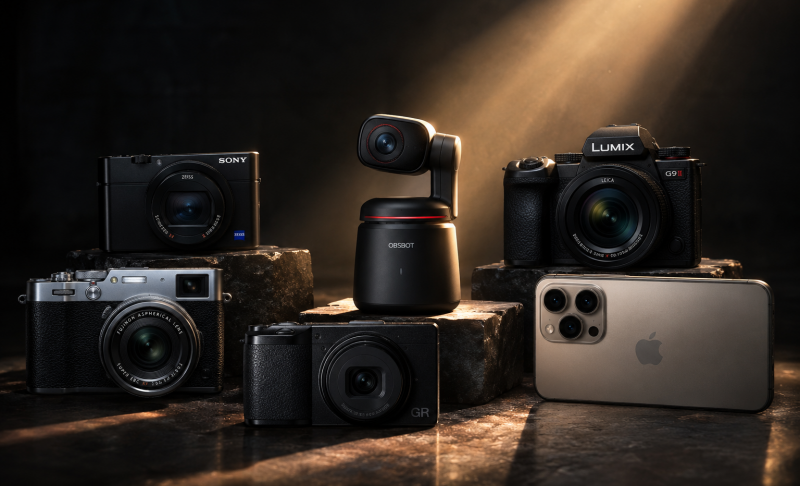
9 Best Podcast Cameras for Creators in 2026

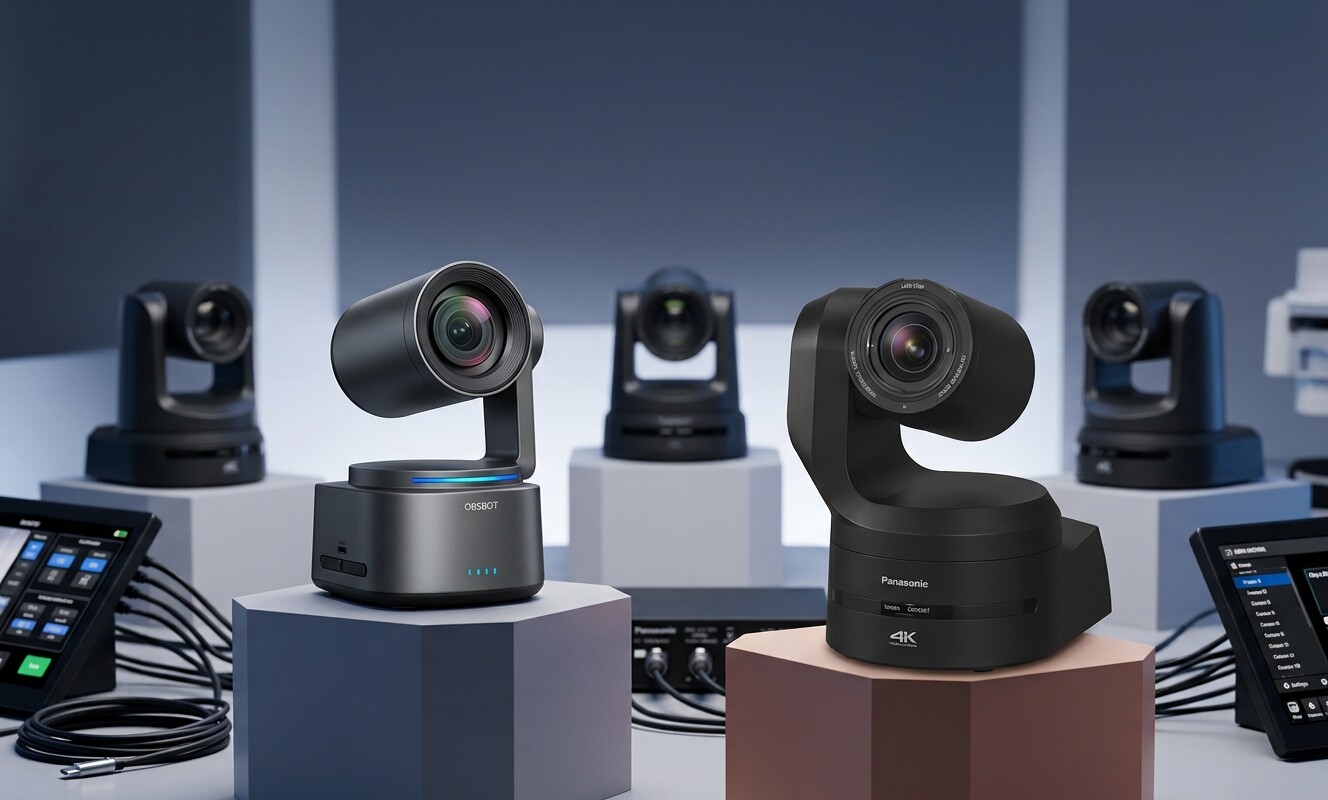
If you are searching for the best podcast camera options on the market, top-tier models like the AI-powered OBSBOT Tail 2, the versatile Sony ZV-E10 II, and the thermally stable Lumix S5 II represent the absolute gold standard for video creators. This guide cuts through the technical jargon to highlight the top video gear available this year. Whether you need a simple plug-and-play device for solo streaming or an advanced multi-camera arrangement for dynamic studio interviews, these field-tested options ensure reliable performance based on thermal stability, autofocus reliability, and overall image quality.
Part 1: 9 Best Podcast Camera Models
Choosing a dedicated podcast camera can feel overwhelming with so many options on the market. Below, we've rounded up 9 podcast cameras for different recording styles, studio setups, budgets, and production workflows to help you find the right fit for your content creation needs.
1. OBSBOT Tail 2 Live Production Camera (Best Overall)
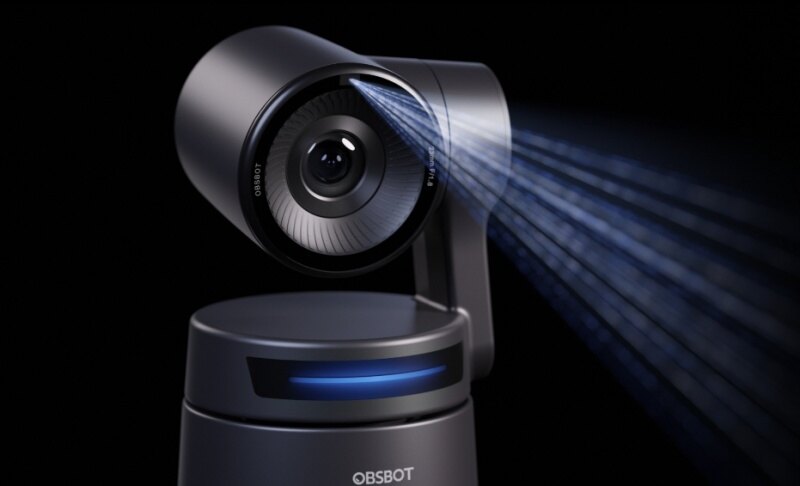
Solo video creators often find it impossible to stay perfectly framed while simultaneously managing guest conversations and technical setups. The OBSBOT Tail 2 takes over the role of a physical crew by adapting dynamically to your movements. It eliminates the friction of routing complex video signals through intermediate gear by sending a broadcast ready feed directly to your production software. It functions as an exceptional podcast video camera by allowing lean studios to achieve professional multi angle movement with zero extra staff.
Main Features:
- Premium 1/1.5 inch CMOS sensor capturing crisp podcast camera 4k footage at 60fps.
- Hardware level 3 axis gimbal stabilization with an automatic leveling system.
- Comprehensive connectivity options including 3G-SDI, HDMI 2.0, USB-C, and Ethernet with PoE+ support.
- Upgraded AI Tracking 2.0 with Only Me and Group Tracking modes.
This camera is best for: Solo creators and remote interview hosts who move around their studio and need an automated system that handles framing dynamically.
This camera may NOT be ideal for: Creators who want an ultra shallow depth of field cinematic background, as the fixed zoom lens system cannot be swapped for an interchangeable lens mount.
Ecamm Live Podcast User Case:

2. Sony ZV-E10 II (Best APS-C Camera for Podcasting)

Upgrading your visual presence means moving past the muddy, flat quality delivered by standard desktop gear. The Sony ZV-E10 II brings an instantly recognizable depth to your production that immediately engages viewers. It simplifies the transition from audio to high definition video by managing exposure and focal adjustments automatically as you interact on set. It serves as a highly capable camera for podcast video sets by removing the steep technical learning curve usually tied to professional mirrorless systems.
Main Features:
- 26 megapixel APS-C sensor producing beautiful video clarity.
- Advanced Phase Detection Autofocus that locks onto eyes instantly.
- No artificial recording limits, preventing sudden shut offs during long conversations.
- Direct USB streaming support up to 4K resolution.
This camera is best for: Audio hosts transitioning to video who want an affordable, interchangeable lens setup that delivers a professional blurry background effect.
This camera may NOT be ideal for: Long multi hour recordings in hot studio spaces without an external dummy battery, because the compact body can trap heat during continuous high bitrate recording.
3. Lumix S5 II (Best Low-Light & Phase Detect Full Frame)

Long form recording demands absolute hardware endurance since a thermal shutdown can destroy the flow of a once in a lifetime interview. The Lumix S5 II is built to withstand grueling, back to back production schedules without requiring you to monitor a timer. It provides exceptional visual clarity in moody, poorly lit studio spaces that typically compromise lesser gear with ugly digital grain. It stands out as a highly reliable, good camera for podcast sets where total uptime and cinematic depth are non negotiable requirements.
Main Features:
- 24.2 megapixel Full Frame sensor with exceptional low light sensitivity.
- Built in active cooling fan for reliable, non stop studio sessions.
- Dual native ISO that minimizes digital noise in dark studio backgrounds.
- Real time LUT implementation to apply color grades directly to the recorded file.
This camera is best for: Professional creators operating dedicated studio spaces who require absolute reliability for long form interviews and rich cinematic colors.
This camera may NOT be ideal for: Beginners on a tight budget or creators looking for a light, pocketable setup, given its substantial weight and premium price tag.
4. Sony FX30 (Best Cinema-Grade Production Camera)

Managing a high end production usually means spending hours in post production syncing high resolution video files with standalone studio microphones. The Sony FX30 unifies your asset collection by allowing broadcast audio and professional footage to capture simultaneously into a single file path. It is engineered to withstand continuous commercial use, giving operators complete peace of mind during high stakes celebrity recordings. This makes it a foundational asset for your professional podcast video equipment lineup when building an unshakeable studio foundation.
Main Features:
- Super35 CMOS sensor optimized for oversampled cinematic 4K video.
- Internal active cooling fan guaranteeing zero thermal shutdowns during extended shoots.
- Dual XLR audio input compatibility via the optional top handle interface.
- Tally lights on the front and back so hosts always know the camera is recording.
This camera is best for: Serious production teams and independent creators who treat their show like a professional television broadcast and need robust hardware that works flawlessly for hours.
This camera may NOT be ideal for: Solo hobbyists who want a quick plug and play solution, as maximizing this camera requires knowledge of color profiles and cinema workflows.
5. Canon EOS R6 Mark II (Best Premium All-Rounder)

Achieving a polished broadcast look requires capturing realistic skin presentation that looks professional without extensive editing. The Canon EOS R6 Mark II delivers beautiful, production ready color rendering immediately, saving editing teams days of color correction work. The expansive field of view creates a natural sense of luxury and space, making even a small home office feel like a major network set. It remains a premier choice for a high end best camera for video podcast environment where visual prestige cannot be compromised.
Main Features:
- 24.2 megapixel Full Frame sensor providing natural depth of field.
- Uncropped 4K video oversampled from a 6K sensor area for extreme clarity.
- Highly accurate Dual Pixel CMOS AF II that tracks faces even when people wear glasses or hats.
- Extended recording limits up to six hours per clip.
This camera is best for: High production value multi person shows where looking professional and having accurate skin tones directly out of the camera is paramount.
This camera may NOT be ideal for: Budget conscious creators, as both the camera body and the native RF lenses represent a substantial financial investment.
6. OBSBOT Meet 2 4K Webcam (Best Plug-and-Play Option)
Many remote hosts lack the desk space or budget required to mount massive mirrorless systems and route complex HDMI lines. The OBSBOT Meet 2 4K Webcam mounts directly to any monitor to deliver an instant studio upgrade with zero physical clutter. It bridges the gap between portability and high end production by providing a sharp, professional perspective during virtual recordings. It represents a highly practical webcam for podcast creation because it actively keeps you centered while you interact with your interface.
Main Features:
- Ultra compact design with a powerful 1/2 inch CMOS sensor and f/1.8 aperture.
- True plug and play USB connection requiring no external capture cards or software drivers.
- AI Auto Framing that adjusts smoothly to landscape or portrait layouts.
- Dual noise cancelling microphones integrated directly into the body.
This webcam is best for: Remote guests, solo creators, and video podcasters who record primarily via platforms like Zoom, Riverside, or SquadCast from an office desk.
This webcam may NOT be ideal for: Large multi person studio sets, because the fixed wide angle lens cannot zoom optically to frame guests sitting far away.
7. Logitech Mevo Start (Best for Wireless Multi-Camera Setups)

Capturing a dynamic multi guest conversation usually requires a massive financial investment in hardware switchers and a chaotic web of video lines. The Logitech Mevo Start completely reimagines studio layout by allowing a single operator to execute real time angle cuts directly from a tablet. It allows small production teams to emulate a full television control room without the associated real estate or technical overhead. This makes it an ideal best budget camera for podcasting solution for creators who want to scale their format affordably.
Main Features:
- Completely wireless operation with up to six hours of built in battery life.
- Dedicated smartphone app for live switching, panning, and zooming between angles.
- Direct streaming capabilities to platforms like YouTube and Twitch without a computer.
- MicroSD card slot for local backup recording on every individual unit.
This camera is best for: Small teams and independent creators who want a multi angle video show but lack the budget or technical space for traditional wired systems.
This camera may NOT be ideal for: Studios operating in low light conditions, as its small sensor requires a well lit environment to avoid grain and noise.
8. Sony ZV-1 II (Best Compact All-in-One Podcast Camera)

Creators operating out of small spare bedrooms often discover that traditional lenses force them to push tripods into corners just to fit everyone on screen. The Sony ZV-1 II solves physical space constraints by capturing a sweeping view of your set from a remarkably short distance. It provides the visual depth of an advanced production kit without the ongoing confusion or expense of managing separate glass optics. It serves as an incredibly efficient, compact best camera for podcasting tool for creators who prioritize mobility and space efficiency.
Main Features:
- Large 1 inch Exmor RS CMOS sensor for clean images and natural background blur.
- Ultra wide 18-50mm built in zoom lens perfect for small room environments.
- Face Priority Auto Exposure that keeps your skin perfectly illuminated even if you shift around.
- Three capsule internal microphone with an included windscreen for clear scratch audio.
This camera is best for: Solo creators who travel frequently or operate out of minimal desk setups and want a high quality, fuss free image.
This camera may NOT be ideal for: Long form multi hour studio broadcasts, as the tiny battery necessitates a constant external USB power connection.
9. Your Mobile Phone (The Most Convenient Choice)

The initial cost of dedicated video production gear can prevent promising shows from ever launching their first episode. Leveraging your mobile phone allows you to publish high resolution video content immediately without a massive financial hurdle. This strategy lets you focus your critical early capital on audio quality and room acoustics, which are much harder to fix in post production. It serves as the most practical entry point for testing a video format before expanding your collection of standalone podcast video equipment.
Main Features:
- Utilizes advanced computational processing and existing high end phone sensors.
- Seamless integration with recording platforms via wireless or USB connections.
- Shoots up to 4K resolution at 60fps with exceptional built in stabilization.
- Zero added cost if you already own a premium modern smartphone.
This camera is best for: Absolute beginners and budget strapped creators who want to validate their show concept before investing heavily in standalone gear.
This camera may NOT be ideal for: Established shows requiring dedicated, permanent studio setups, as using a personal phone disrupts notifications and drains your primary communication device.
Part 2: How to Choose a Podcast Camera for Your Workflow
Selecting a podcast camera setup requires shifting your mindset away from traditional photography specs like megapixels and shutter speeds. In long form video production, your technical challenges revolve around endurance, automation, and workflow simplicity. Every feature of your chosen podcast camera should directly enhance your workflow.
Core Production Challenges and Solutions
- Long Recording Stability: An overheating podcast camera will ruin a live session. Standard photography gear often shuts down after 30 minutes due to legal clip limits or thermal thresholds. For a video show, look for hardware featuring active internal cooling fans or unlimited recording capabilities so your capture never cuts off mid sentence.
- Eye Contact and Autofocus Reliability: When you are deep in conversation with a guest, you cannot monitor a screen to check your focus. You need a system with continuous face and eye tracking that remains locked onto you, even when you look down at your notes or turn your head away from the lens.
- Ease of Use for Solo Creators: If you operate alone, you are the host, audio engineer, and director all at once. Features like AI auto framing, gesture controls, and flip out screens allow you to manage the visual side of production without leaving your microphone position.
- Low Light Home Studio Performance: A high quality podcast camera must perform well even in moody studio spaces. Most creators record in spare bedrooms or basements with limited natural light. A camera with a larger sensor or dual native ISO keeps your video clean and free of ugly digital grain without requiring blinding studio lights.
- Multi Person Configurations: When hosting multiple guests on set, managing individual video feeds can become a massive bottleneck. Choosing devices that sync wirelessly or output clean HDMI or NDI signals simplifies your post production switching and reduces physical cable clutter.
- Webcam and Livestream Compatibility: If you record your show live or use remote platforms like Riverside, look for a camera that supports native UVC and UAC streaming. This allows you to plug the device directly into a computer via USB without needing an external capture card.
Part 3: FAQs About Your Podcast Camera Equipment
To help you find the right setup, we have compiled the most common questions regarding podcast camera selection.
1. What camera is best for podcast recording?
The OBSBOT Tail 2 is the best camera for podcast recording because its built in AI tracking eliminates the need for a dedicated cameraman while delivering flawless 4K video. It resolves the common issues of manual framing adjustments and overheating during long sessions.
2. What type of camera should I choose for my podcast?
You should choose an AI powered PTZ camera or a fan cooled mirrorless podcast camera with unlimited recording capabilities. These specific categories directly solve the dual pain points of studio overheating and solo operation framing challenges.
3. How much does a podcast camera cost?
A reliable podcast camera typically costs between $150 and $2,500 depending on your production scale. Simple 4K webcams for solo desk setups sit around the lower end of that range, while professional full frame mirrorless systems occupy the higher tier.
4. What do most podcasters use to record?
Most top tier video creators use a combination of mirrorless cameras or dedicated AI tracking cameras configured into a reliable multi camera podcast setup. This multi angle approach keeps the visual pacing energetic by allowing editors to cut between the host and the guest seamlessly.
Conclusion
Investing in the proper podcast camera transforms your video show from a simple hobby into a high tier broadcast. The ideal tool eliminates technical friction, allowing you to focus completely on your guests and the conversation rather than worrying about overheating or framing issues. Whether you choose the automated tracking features of the OBSBOT Tail 2, the cinematic depth of a Sony mirrorless system, or the simplicity of a plug and play webcam, consistency remains the key to growing an audience. Align your choice with your room space, technical comfort, and production workflow to build a professional podcast studio that stands out.