8 Best Budget 4K Cameras in 2026
Everyone wants to record videos in 4K, but they pull back because of the high price tags on cameras. However, now you can get a budget 4K camera for high-quality content for YouTube, streaming, or vlogging. The good thing is that even budget cameras have reliable recording quality, autofocus, and other important features. This article includes the 8 best options that you can find within the range of $500 and $1,000.
Part 1: 8 Best Budget 4K Cameras From $500 to $1,000
A good affordable 4K camera should match your recording needs and available budget. The following cameras provide different features for beginners, vloggers, filmmakers, and content creators.
Quick Comparison Table
| Camera Model | Resolution | Sensor | Microphone | Best For | Price (USD) |
|---|---|---|---|---|---|
| Canon EOS R50 | 4K@30fps 1080p@120fps |
24.2MP APS-C CMOS | Built-in stereo mic 3.5mm external mic input |
Beginners and everyday content | $729.99 |
| Nikon Z30 | 4K@30fps 1080p@120fps |
20.9MP APS-C CMOS | Built-in stereo mic 3.5mm external mic input |
YouTube and solo vlogging | $809.95 |
| OBSBOT Tail Air | 4K@30fps 1080p@60fps |
1/1.8-inch Starlight CMOS | Dual MEMS microphones 3.5mm mic/line input |
Live streaming and events | $598 |
| Canon G7 X Mark III | 4K@30fps 1080p@120fps |
20.1MP 1-inch stacked CMOS | Built-in stereo mic 3.5mm external mic input |
Travel vlogging and casual filming | $929.99 |
| Panasonic LUMIX G97 | 4K@30fps 1080p@60fps |
20.3MP Micro Four Thirds Live MOS | Built-in stereo mic 3.5mm mic input |
Handheld shooting and filmmaking | $849.99 |
| Fujifilm X-M5 | 6.2K@30fps 4K@60fps 1080p@240fps |
26.1MP APS-C X-Trans CMOS 4 | Three built-in mics 3.5mm mic input |
Creative filmmaking and color grading | $899.95 |
| OM SYSTEM PEN | 4K@30fps 1080p@60fps |
20.4MP Micro Four Thirds Live MOS | Built-in stereo mic 3.5mm external mic input |
Everyday photography and creative video | $999.99 |
| Sony ZV-E10 | 4K@30fps 1080p@120fps |
24.2MP APS-C Exmor CMOS | Built-in three-capsule mic 3.5mm external mic input |
Product reviews and demonstrations | $799.99 |
1. Canon EOS R50 - Best Budget 4K Camera for Beginners
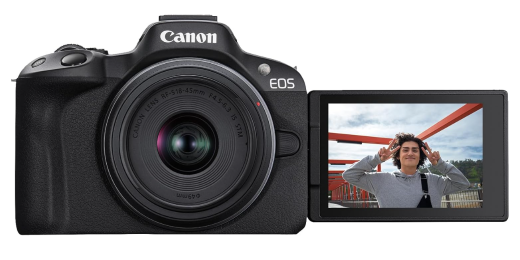
For beginners exploring video creation, the Canon EOS R50 makes shooting easier with its automatic settings and lightweight design. Weighing just 375g, this inexpensive 4K camera fits comfortably into travel and daily recording setups. Its guided shooting options also help new users experiment with different visual styles without learning complicated manual camera controls.
Key Features:
- Dual Pixel CMOS AF II tracks moving subjects accurately
- DIGIC X processor enables fast, responsive camera performance
- Vari-angle touchscreen simplifies shooting from difficult positions
- Full HD 120fps captures dramatic slow-motion footage
- Creative Assist adjusts visual effects without manual editing
- USB webcam support simplifies live streaming setups
2. Nikon Z30 - Best Budget 4K Camera for Vlogging
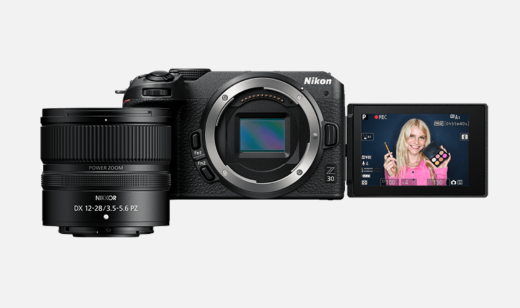
Recording daily vlogs becomes more convenient with the Nikon Z30, especially when filming alone. Its simplified button layout and customizable controls help creators adjust settings quickly. With access to over 40 compatible NIKKOR Z lenses, users can explore different shooting styles with this cheap 4K camera. It also supports extended recording sessions for longer content.
Key Features:
- Eye-detection autofocus keeps moving faces sharp
- Electronic VR reduces camera shake during recording
- Vari-angle LCD allows flexible self-recording from multiple angles
- SnapBridge transfers short clips directly to smartphones
- Twenty Creative Picture Controls add distinctive visual styles
- USB power supports longer filming without battery swaps
3. OBSBOT Tail Air Streaming Camera - Best Budget 4K Camera for Streaming
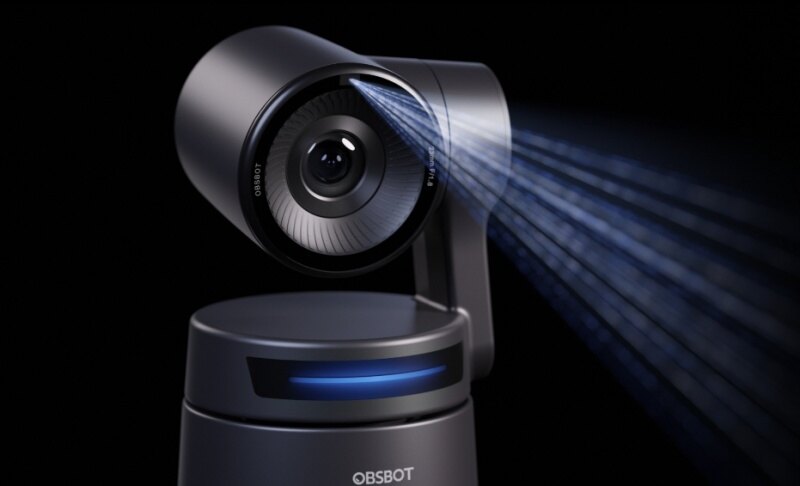
Managing camera angles while hosting a live session can be challenging. With automatic movement and intelligent framing, solo creators can stay focused on presenting. The OBSBOT Tail Air makes this possible through its compact PTZ design and hands-free operation. It is particularly useful for church services, online classes, interviews, and live events.
Key Features:
- Good Video Recording: Records 4K@30fps and 1080p@60fps, delivering detailed footage for streaming and video production.
- AI Subject Tracking: Automatically follows humans, animals, and selected objects, keeping moving subjects centered without manual camera adjustments.
- Enhanced Low-Light Performance: Uses 2μm pixels to collect more light, producing brighter footage with less noise in dim environments.
- Professional Streaming Connectivity: Supports micro HDMI, USB-C, Wi-Fi, and optional PoE Ethernet connectivity, with separately licensed NDI support for multi-camera streaming.
- Preset Position Control: Saves preferred camera angles for quick switching between different shots during live broadcasts.
4. Canon G7 X Mark III - Best Budget 4K Camera for Video Creators
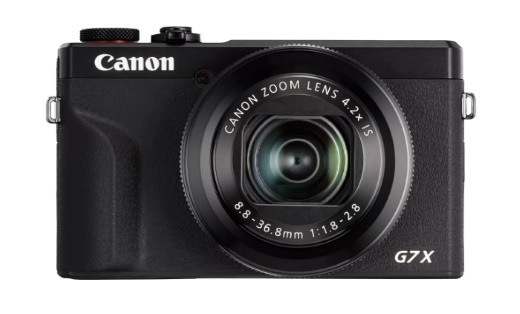
Carrying multiple lenses can make travel filming less convenient. A pocket-sized affordable 4K video camera with a built-in zoom lens solves this problem. The Canon PowerShot G7 X Mark III combines portability with manual shooting controls, giving travelers more flexibility. Its compact design makes it easier to capture street scenes, vacation moments, and daily adventures.
Key Features:
- 4.2x optical zoom captures distant subjects without changing lenses
- Optical Image Stabilizer reduces blur during handheld recording
- Fast f/1.8-2.8 aperture improves shooting in dim environments
- 180-degree tilting touchscreen simplifies framing travel selfies
- Clean HDMI output supports external video capture devices
- Exposure compensation dial allows quick brightness adjustments
5. Panasonic LUMIX G97 - Best Budget 4K Camera for Handheld Shooting
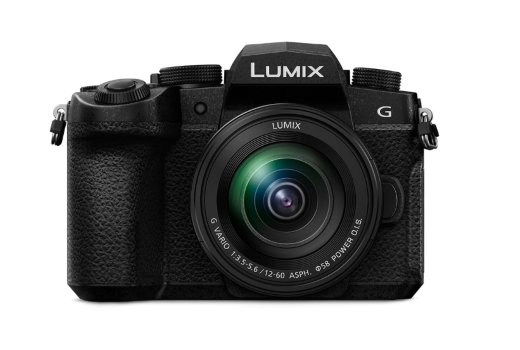
Shaky footage often makes handheld videos look unprofessional. A stable camera helps creators record smoother scenes without carrying extra equipment. Long recording sessions also become easier when there are fewer interruptions. This 4K camera on a budget offers dependable performance for travel videos, interviews, and creative projects. Its weather-resistant design supports outdoor shooting.
Key Features:
- Five-axis Dual I.S.2 provides five-stop shake reduction
- DFD autofocus technology achieves rapid 0.07-second focusing
- Unlimited recording supports longer sessions without interruptions
- V-Log L provides twelve stops of dynamic range
- OLED viewfinder improves framing under bright sunlight
- USB-C charging keeps longer outdoor sessions convenient
6. Fujifilm X-M5 - Best Budget 4K Camera for Creative Filmmaking
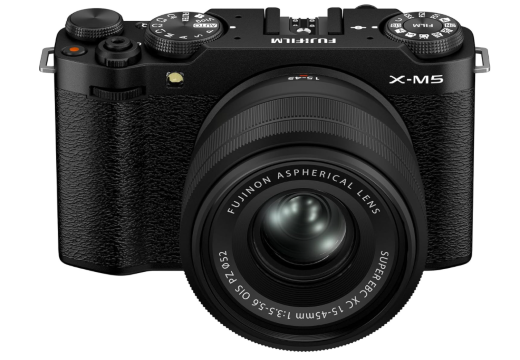
Creative filmmakers often need greater control over colors, lighting, and visual effects. Different shooting conditions also demand flexible settings without slowing production. Weighing just 355g, this budget 4K camera suits travel projects and everyday filmmaking. With dedicated creative controls and support for professional editing workflows, users can develop their own visual style using the Fujifilm X-M5.
Key Features:
- Twenty Film Simulation modes create distinctive cinematic looks
- F-Log2 preserves over thirteen stops of dynamic range
- Digital image stabilization reduces shake during movement
- AI subject detection tracks fast-moving objects accurately
- Frame.io Camera to Cloud simplifies collaborative video editing
- Short Movie mode creates vertical social media clips
7. OM System PEN - Best Budget 4K Camera for Advanced Vlogging
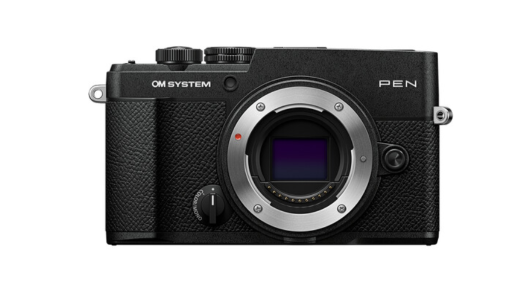
OM SYSTEM PEN brings classic camera styling and modern creative tools together for everyday shooting. Its compact, rangefinder-style body makes it comfortable to carry during trips and outdoor adventures. With simple controls and customizable shooting options, users can explore photography and filmmaking without complicated setups with this best budget 4K camera. Weather protection also makes shooting in changing conditions easier.
Key Features:
- Five-axis image stabilization reduces blur during handheld shooting
- AI subject detection tracks people and pets accurately
- Live ND creates smooth motion without external filters
- Profile Control switch enables quick creative style changes
- OM Cinema modes produce cinematic looks without editing
- IPX1 weather sealing protects against light rain exposure
8. Sony ZV-E10 - Best Budget 4K Camera for Product Videos
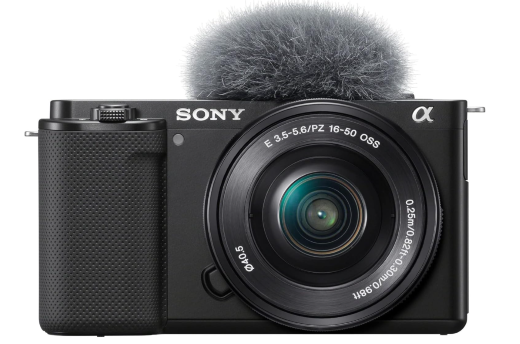
What happens when you bring a product close to the camera during a review? Instead of manually changing focus, you can let this best 4K camera on a budget handle the transition. This makes filming unboxing videos, product demonstrations, and tutorials easier. Designed around this workflow, the Sony ZV-E10 helps creators maintain attention on the products they present.
Key Features:
- Product Showcase automatically shifts focus toward displayed objects
- Face Priority AE maintains brightness under changing lighting
- Active Mode stabilization reduces shaking during walking shots
- Seven autofocus transition speeds control focus switching
- S-Log3 captures wider tonal detail for color grading
- USB streaming eliminates additional capture hardware requirements
Part 2: How to Choose the Best Budget 4K Camera
Finding the best cheap 4K video camera involves more than comparing prices or resolution. Recording speed, sensor performance, autofocus, sound quality, and extra equipment all affect your results.
1. Check 4K Resolution and Frame Rates
Frame rate tells you how many pictures a camera records each second. It affects how smooth the video looks.
- 4K at 24fps: Works well for cinematic videos, interviews, and storytelling. It creates motion similar to traditional movies.
- 4K at 30fps: Suitable for YouTube, vlogging, online lessons, and everyday recordings. It offers slightly smoother movement than 24fps.
- 4K at 60fps: Better for sports, fast-moving subjects, and smooth action footage. It also allows 50% slow motion when edited on a 30fps timeline.
Some cameras crop the image when recording at 60fps. This makes the view narrower, which can be a problem when filming yourself in small spaces. Also, check whether the camera limits recording time or changes video quality at higher frame rates.
2. Consider Sensor Size and Low-Light Performance
The sensor collects light to create images. Its size can affect sharpness, background blur, and performance in darker places.
APS-C sensors are larger than Micro Four Thirds sensors. They can offer better low-light results when other conditions are similar. Cameras such as the Canon EOS R50 and Sony ZV-E10 II use APS-C sensors.
Micro Four Thirds sensors are smaller and can support lighter camera systems. The Panasonic LUMIX G97 is an example.
However, sensor size is not the only factor that matters. A lens with a wide aperture, such as f/1.8, allows more light into the camera than one set to f/5.6. Higher ISO settings can brighten videos but may also create visible noise. Remember that 4K resolution does not automatically mean better video quality. Lens quality, lighting, sensor performance, and video processing also matter.
3. Look for Reliable Autofocus and Image Stabilization
Autofocus helps keep subjects sharp while recording. This is especially useful when moving around or filming alone. Look for cameras with face detection, eye tracking, and continuous autofocus. These features help the camera follow subjects without constant manual adjustments. Image stabilization is equally important because it reduces unwanted camera movement.
- In-body image stabilization (IBIS): The camera moves its sensor to reduce shaking. It is useful when recording handheld.
- Lens stabilization: Special parts inside the lens move to reduce camera shake. Its effectiveness depends on the lens.
- Electronic stabilization: The camera uses digital processing to reduce movement. It may crop the recorded image.
For handheld shooting, consider a camera with IBIS or a stabilized lens. If you mostly record on a tripod, stabilization becomes less important. When walking and filming, combining stabilization with careful movement can produce smoother videos.
4. Check Audio, Connectivity, and Recording Limits
Clear audio is essential for professional-looking videos when you purchase the best budget 4K action camera. Even detailed 4K footage becomes difficult to watch when voices sound unclear. Choose a camera with a 3.5mm microphone input if you plan to record interviews, reviews, or educational content. A headphone jack is also helpful for checking sound during recording. Connectivity affects how easily you can use the camera with other equipment.
USB-C can support data transfers, charging, or webcam functions on compatible models. HDMI lets you connect an external monitor or capture device. Certain cameras also support external video recorders. Before purchasing, check these details:
- Battery life: Make sure it supports your recording sessions.
- Recording limits: Check for file duration limits, overheating, and automatic shutdowns.
- Screen movement: A flip-out display helps when filming alone.
- Streaming support: Confirm whether a computer connection requires a capture card.
- External recording: Check HDMI output formats and supported frame rates.
For long recording sessions, USB power or an external power solution can be especially helpful.
5. Calculate the Total Cost of Your Camera Setup
The camera price is only part of your total spending.A body-only camera may appear cheaper, but it cannot record useful footage without a compatible lens. A kit package usually includes a basic zoom lens and may offer better value for beginners.
Other possible expenses include memory cards, spare batteries, microphones, tripods, lighting, and camera bags. For example, spending $900 on a camera body leaves little room for other equipment within a $1,000 budget. A $700 lens kit may provide more flexibility. You can also consider used or refurbished cameras from reliable sellers. Older models sometimes offer advanced features at lower prices.
Part 3: FAQs About Budget 4K Cameras
1. What is the best budget 4K camera under $1,000?
The OBSBOT Tail Air is a strong choice for beginners because it offers sharp 4K video, dependable autofocus, and simple controls. The Sony ZV-E10 II provides more advanced video recording options.
2. Can you get a good 4K camera for under $500?
Yes, some older mirrorless cameras, action cameras, and refurbished models cost under $500. However, check sensor quality, autofocus, recording limits, and lens costs before deciding whether the lower price offers good value.
3. What should I look for in a budget 4k camera for YouTube?
Choose reliable autofocus, a flip-out screen, external microphone support, and at least 4K30 recording. Also, consider overheating, battery life, and stabilization, especially if you regularly film yourself without assistance or move around.
4. Is it better to buy a new budget camera or a used higher-end camera?
A used higher-end camera may offer stronger features at lower prices. However, new cameras provide better warranty protection. Compare condition, repair costs, available lenses, and recording capabilities before making your final purchase.
5. What is the cheapest 4K cinema camera?
Used Blackmagic Pocket Cinema Camera 4K bodies are among the cheapest dedicated cinema camera options. Prices vary by condition. Additional lenses, batteries, storage, and rigging can significantly increase the complete production cost.
Conclusion
Finding a budget 4K camera becomes much simpler when you know what matters for your projects. The cameras in this guide cover a wide range of skills, creative goals, and spending plans. Each offers its own balance of convenience, flexibility, and control. Before making your decision, think about how frequently you will use your equipment and which capabilities will make your work easier over time.