7 Good Cameras for Streaming on Twitch: Top Picks
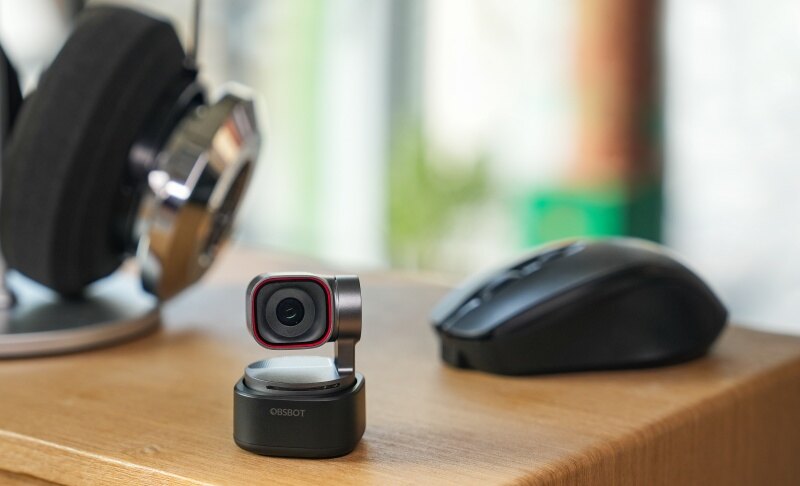
Twitch streamers know the importance of good streaming quality, so your facecam is the first thing your audience will judge. This is why using a good camera for streaming on Twitch is important, as you will get a clear and sharp feed. It will help your audience see everything clearly and connect with you. However, the right pick depends on your streaming style, lighting, budget, and quality needs. So, we are sharing the 7 best options to take your Twitch streaming to the next level.
Part 1: 7 Best Cameras for Twitch Streaming at a Glance
If you need to purchase a streaming camera for gaming but you aren't able to make a choice, this section includes seven different options for your ease.
| Webcam |
Resolution |
Sensor | Focus | FOV | Low-light / HDR | Twitch-friendly features |
|---|---|---|---|---|---|---|
| Logitech C920 HD Pro | 1080p30 | 3MP sensor; glass lens | Autofocus | 78° | RightLight 2 | Built-in stereo mics; USB 2.0 |
| Logitech StreamCam | 1080p60 | 1/3" class; f/2.0 lens | Autofocus | 78° | Intelligent exposure | Auto-framing; USB-C |
| Elgato Facecam MK.2 | 1080p60; 720p120 | 1/2.5" Sony STARVIS; f/2.4 | Fixed focus | 84° | HDR; STARVIS sensor | Uncompressed video over USB 3.0; privacy shutter |
| OBSBOT Tiny 3 | 4K30; 1080p120 | 1/1.28" CMOS | AI tracking | 82.4° (4:3), 74° (16:9) | Large sensor; ISO 100–12800 | AI Tracking 2.0; motorized PTZ; gesture and voice control; Intelligent directional mic system |
| Razer Kiyo Pro Ultra | 4K30; 1080p60 | 1/1.2" Sony STARVIS 2; f/1.7 | Autofocus with face tracking | 82°–72° | Excellent low-light potential; HDR | Natural background blur; auto exposure; built-in privacy shutter |
| Sony ZV-E10 II | 4K60 recording; USB streaming up to 4K | 26MP APS-C sensor; interchangeable E-mount lens | Hybrid AF; eye tracking | Lens-dependent | Large APS-C sensor; strong low-light potential | USB webcam streaming; HDMI output; background defocus |
| Elgato Facecam 4K | 4K60; 1080p60 | 1/1.8" Sony STARVIS 2; f/4.0 | Fixed focus | 90° | HDR at up to 4K30 | USB-C; 49mm filter support; manual image controls |
Part 2: 7 Good Cameras for Streaming on Twitch
These streaming and gaming cameras for Twitch range from low-cost webcams to a mirrorless camera, so there's a pick for every desk, room, and goal.
1. Logitech C920 HD Pro – Best Budget Camera for Twitch Streaming
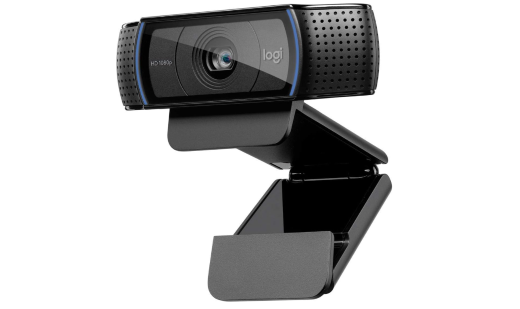
Long after its launch, this dependable little cam remains a common sight across Twitch. That staying power explains why the Logitech C920 HD Pro is still a safe pick: it plugs into any USB-A port, needs no extra drivers, and appears in OBS Studio just seconds after you connect it.
Key Features:
- A 78° view frames you and your chair
- HD autofocus stays sharp when you lean closer
- RightLight 2 correction brightens dim, lamp-lit gaming rooms
- Dual stereo mics offer backup audio during streams
- Logi Tune's manual focus ends mid-stream focus hunting
- Tripod-ready clip fits monitors, laptops, or desk stands
2. Logitech StreamCam – Best 1080p 60fps Webcam for Gaming Streams
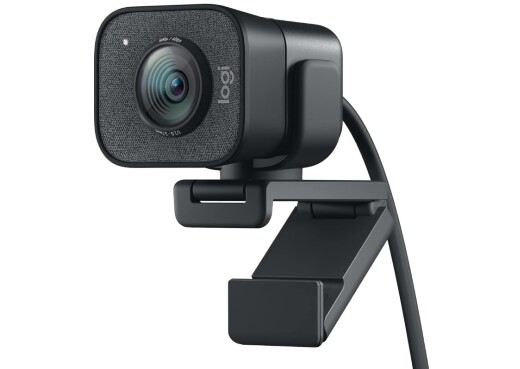
Streamers who want a creator-focused or best camera for game streaming without a steep learning curve will like the Logitech StreamCam. It connects through USB-C, works with OBS, Streamlabs, and XSplit, and pairs with Logitech Capture for overlays and transitions. A white indicator LED also shows you the exact moment your webcam feed goes live.
Key Features:
- Its f/2.0 glass lens captures natural, true-to-life colors
- Face-based autofocus tracks you from 10 cm away
- Auto-framing keeps you centered as you shift sideways
- Intelligent exposure adjusts ISO for accurate skin tones
- Image stabilization cuts shake from accidental desk bumps
- Noise-filtering dual mics offer stereo or dual-mono audio
3. Elgato Facecam MK.2 – Best Webcam for Dedicated Twitch Streamers
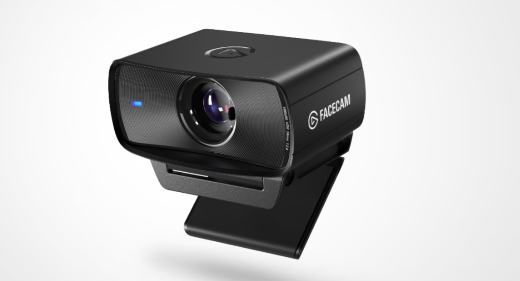
Some webcams try to do everything. This one skips the built-in microphone entirely, assuming you already own a proper mic, and focuses entirely on sharp video quality instead. Slimmer than the original model, the Elgato Facecam MK.2 ships with a braided cable and detachable monitor clamp.
Key Features:
- Sony STARVIS 1/2.5-inch sensor handles dim rooms well
- An f/2.4 Elgato Prime Lens keeps details crisp
- Digital PTZ lets you reframe its 84° view
- Fixed focus between 30–120 cm never hunts mid-game
- Camera Hub offers DSLR-style ISO and shutter control
- RTX GPUs unlock virtual backgrounds and eye contact
4. OBSBOT Tiny 3 4K PTZ Webcam – Best AI-Powered Webcam for Twitch Streamers
The OBSBOT Tiny 3 is a 4K PTZ webcam designed for streamers who want more flexibility and control over their on-camera setup. With support for up to 1080p at 120fps, Tiny 3 is also a versatile choice for smooth, high-quality facecam footage. Gesture and voice controls make it easy to adjust your camera during a live stream without interrupting your gameplay. Whether you're streaming games, chatting with viewers, or creating content beyond Twitch, Tiny 3 offers a flexible camera setup with less manual adjustment.
Key Features:
- AI Tracking 2.0: Stand up after a clutch win, and the gimbal follows you, panning ±130° and tilting 32° down to 60° up at 120°/s, so you stay in Twitch streaming without touching the camera.
- 1/1.28-Inch 50MP Sensor: With an f/1.8 aperture and ISO 100–12800, it pulls in light from dim RGB setups, which means your facecam stays clean during late-night Twitch streams.
- Dual All-Pixel PDAF for Instant Focus: Focus covers 100% of the pixels and works from just 14cm away. Hold a controller or new game case up to chat, and it stays sharp.
- DCG HDR for Bright Screens and LED Strips: Dual Conversion Gain HDR balances bright monitors and dark corners in a single Twitch stream frame. Your face stays evenly lit, with less ghosting when you react fast.
- Triple-Mic System for Clear Audio: One omnidirectional and two directional mics work across five audio modes, so there is a focus on your voice during Twitch streams and helps cut keyboard clicks.
5. Razer Kiyo Pro Ultra – Best Webcam for Low-Light Twitch Streaming
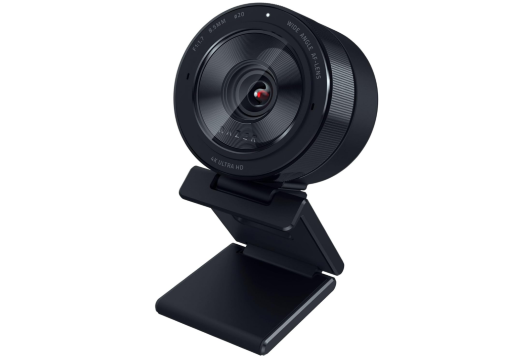
Why did the Razer Kiyo Pro Ultra pick up eight Best of CES 2023 awards? Largely because it borrows ideas from real cameras and squeezes them into a round, all-glass body. It sits at the premium end yet earns that price with image quality few webcams match.
Key Features:
- A 1/1.2-inch STARVIS 2 sensor thrives in dark rooms
- 2.9μm pixels capture 3.9x more light than rivals
- Wide f/1.7 aperture means less reliance on lighting
- True optical bokeh blurs backgrounds without software tricks
- AI face tracking with autofocus keeps you sharp
- HDR mode balances bright monitors against darker faces
6. Sony ZV-E10 II – Best Mirrorless Camera for Professional Twitch Streaming
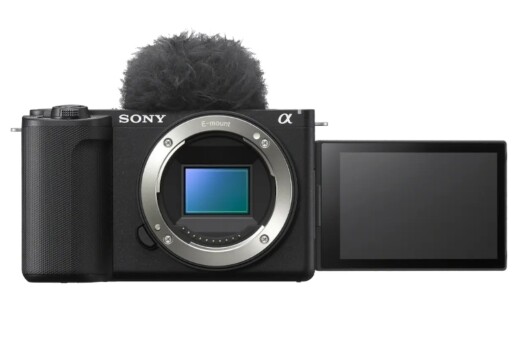
If you're ready to move past webcams but dread capture cards and HDMI adapters, consider the Sony ZV-E10 II as it's the best camera to stream on Twitch. A single USB cable turns it into a plug-and-play stream source, while its flip-out vari-angle screen lets you check framing from your gaming chair.
Key Features:
- 26MP APS-C sensor delivers depth no webcam matches
- 759-point phase-detection autofocus locks on almost instantly
- Real-time Eye AF keeps your eyes perfectly sharp
- Product Showcase smoothly shifts focus to held items
- Background Defocus blurs messy rooms with one press
- Mic and headphone jacks support pro audio monitoring
7. Elgato Facecam 4K – Best 4K Webcam for Twitch Streaming
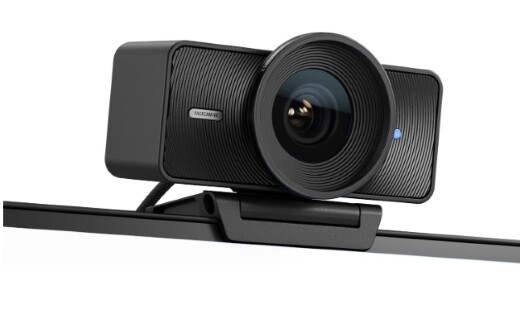
Streamers chasing studio-grade polish without a full camera rig now have a tidy option. It weighs only 112 grams without its mount, connects through a single reversible USB-C cable, and plays nicely with OBS Studio, Zoom, and Microsoft Teams.
Key Features:
- A 1/1.8-inch STARVIS 2 sensor keeps shadows clean
- The 90° wide-angle view fits co-streamers or props
- HDR support tames bright RGB strips behind you
- An f/4.0 Prime Lens widens the in-focus zone
- Camera Hub LUTs color-grade your feed live
- Onboard flash memory saves settings across different PCs
Part 3: How to Choose and Set Up a Camera for Twitch Streaming
To find the best cameras for streaming on PC, check frame rate, sensor size, focus type, connection, and software controls. Then light your space and set up the camera in OBS Studio.
Resolution and Frame Rate: Is 1080p60 Enough for Twitch?
Picture yourself streaming a late-night Valorant ranked match. Your facecam sits in a small corner box, so 1080p already looks crisp to viewers. What matters more is frame rate. At 60fps, your shocked reaction to a clutch play looks smooth, while 30fps can feel choppy next to fast gameplay. Choose 4K only if you also cut vertical TikTok clips or YouTube videos from the same feed, since it needs more PC power.
Sensor Size and Low-Light Performance
Many gamers stream after dark, lit only by RGB strips and a glowing monitor. In that kind of room, a small webcam sensor turns your face into a grainy, muddy blur. A bigger sensor collects more light and keeps the image clean. For webcams, look for a 1/2-inch sensor or larger. A lens with a low f-number, like f/1.8, also helps when you can't fit a key light on your crowded desk.
Autofocus and Field of View
Say you hold up a new controller to show chat, then lean back in your chair. Autofocus keeps you sharp through both moves. If you sit still for hours during a strategy game, fixed focus works well and never hunts mid-stream. For field of view, 65–80° suits solo streamers in small bedrooms. Choose 90° or wider for co-op streams with a friend, but tidy up first, since wide lenses show more clutter.
Connectivity and Compatibility with OBS Studio
Most webcams use UVC (USB Video Class), so they work right away without drivers. Use a USB 3.0 port for high-resolution or uncompressed video. Mirrorless cameras connect through USB streaming or through HDMI plus a capture card. For long streams, check whether the camera can run on USB power or a dummy battery.
Built-in Features and Manual Image Controls
During a horror game, your screen flashes from pitch black to bright white in seconds. With auto settings, your face brightens and darkens along with it. Manual controls let you lock exposure, white balance, and focus so your look stays steady. Extras like AI tracking, HDR, and onboard memory also help. A built-in mic is fine as a quick backup, but a dedicated microphone will make your live commentary sound noticeably better.
Lighting and Camera Placement
Even the best camera for Twitch looks dull if a bright window sits behind you on a sunny afternoon. Turn your desk so the light faces you instead. Place a soft key light in front of you, slightly to one side, to remove harsh face shadows. Set the camera at eye level, not below your chin. This way, viewers see your expressions clearly instead of looking up your nose during an intense boss fight.
Part 4: FAQs About Good Camera for Streaming on Twitch
1. How do I set up a camera for Twitch streaming?
Plug the camera into a USB 3.0 port, open OBS Studio, and add a Video Capture Device source. Pick your camera, set resolution and frame rate, then resize and position the facecam over gameplay.
2. What are the best webcams for streaming on Twitch?
The Logitech C920 suits tight budgets, the StreamCam and Facecam MK.2 deliver smooth 60fps, and the OBSBOT Tiny 3 tracks movement. For low light, choose the Kiyo Pro Ultra; for 4K, the Facecam 4K.
3. Is 1080p good enough for Twitch?
Yes, most Twitch streams run at 1080p or lower, and your facecam usually fills a small corner. Choose 1080p at 60fps for smooth motion, and save 4K for cropping or recording.
4. Is a webcam or mirrorless camera better for Twitch?
Webcams are cheaper and plug in instantly. Mirrorless cameras offer bigger sensors, real background blur, and better low-light quality, but they cost more, need extra setup, and may overheat during long streams.
5. How do I make my webcam look better on Twitch?
Light matters more than the camera. Place a soft key light in front of you, turn off auto exposure, lock white balance and focus, and keep bright windows behind the camera, not you.
Conclusion
Finding a good camera for streaming on Twitch comes down to matching the gear with how you broadcast. Newcomers can start small and upgrade later, while committed creators may want premium optics or hands-free camera movement. Before buying, picture your room, your desk space, and the kind of shows you plan to host. Then invest once, configure it carefully, and let your personality take center stage on every session.