Best Skate Cameras in 2026: 7 Picks for Filming Tricks
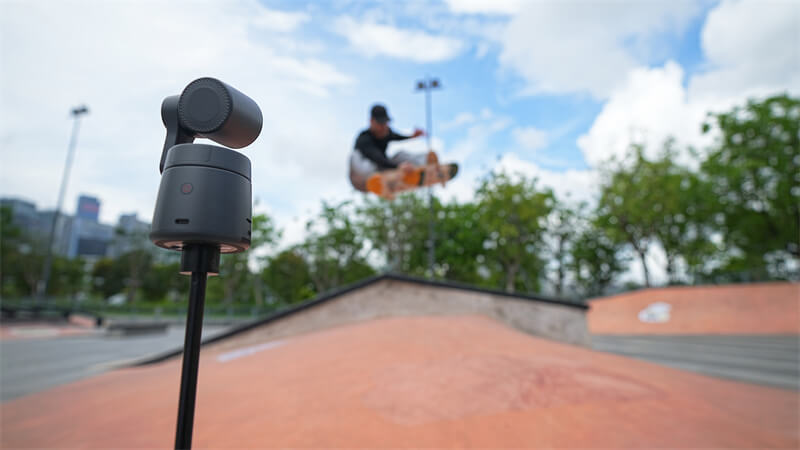
A kickflip can look tiny from across the park. Move too close, and the board or landing disappears from the frame. Choosing a skate camera starts with a simple question: where will the filmer stand?
This guide focuses on cameras for skateboarding videos. The seven best skate cameras cover moving follow shots, low angles, solo filming, and planned skate films. Compare the shot you want before comparing resolution numbers.
The 7 Best Skate Cameras for Skateboarding Videos
Quick Comparison
| Camera | Best filming setup | Resolution & FPS | Why choose it | Main tradeoff | Approx. U.S. price |
|---|---|---|---|---|---|
| DJI Osmo Action 6 | Moving between spots and filming close to the action | Up to 4K at 120 fps | Versatile action camera with flexible framing | U.S. price is higher than some older DJI models | $436 |
| GoPro HERO | First camera and simple session clips | 4K at 30 fps; 2.7K at 60 fps | Small, easy to mount, and relatively affordable | Stabilization is applied through GoPro Quik | $199 |
| GoPro HERO13 Black | Low angles and varied mounts | 5.3K at 60 fps; 4K at 120 fps | Strong slow motion and optional ultra-wide lens | Lens mods cost extra | $399 |
| DJI Osmo Pocket 3 | Smooth handheld follow shots | Up to 4K at 120 fps | Mechanical gimbal in a small camera | Gimbal needs protection near falls | $439 |
| Insta360 X5 | Lines with unpredictable turns | 8K at 30 fps in 360° mode | Choose the angle after recording | Reframing adds editing time | $550 |
| OBSBOT Tail 2 | Solo filming from a fixed spot | 4K at 60 fps; 1080p at 120 fps | Tracks a selected skater through a planned line | Needs a stable position and a clear view | $1,199 |
| Sony FX30 | Planned skate films | 4K at 60 fps; 4K at 120 fps with a crop | Lens choice and extensive video controls | Body price excludes a lens | $2,100 body only |
Quick Picks
- For a first skate camera: Start with the GoPro HERO if you want simple clips and a modest budget.
- For frequent action filming: Pick the DJI Osmo Action 6 if you move between spots and want more recording options.
- For a moving follow cam: The DJI Osmo Pocket 3 gives your footage a smoother handheld look.
- For filming alone: Set up the OBSBOT Tail 2 where it can follow the full route.
- For one attempt with an uncertain direction: The Insta360 X5 gives you framing choices afterward.
1. DJI Osmo Action 6

For close action and sessions that move between spots. Approx. price: $436.
You may start in a bright skatepark, then follow a friend to a shaded street spot. The DJI Osmo Action 6 is well suited to that kind of session. Its compact body is easy to reposition, and stabilization helps when the filmer is moving.
The square sensor is useful when you need both horizontal and vertical edits. Shoot with room around the rider, then choose the final crop later. The variable aperture gives you another way to handle changing light. For a trick you want to slow down, 4K at 120 fps captures the board's movement in more steps.
There is also 50 GB of usable built-in storage. That can save a session when you forget a memory card.
The practical limit: A tight crop can make a wide action shot look soft. Test your framing before someone commits to a difficult trick.
User review:

2. GoPro HERO
For beginners who want to start filming. Approx. price: $199.
The GoPro HERO keeps the first setup simple. It weighs 86 g, records 4K at 30 fps, and works with a range of GoPro mounts. Put it low beside an obstacle for one attempt. Move it farther back for the next. You can learn which angle works without carrying a larger rig.
Its 2.7K at 60 fps mode gives you basic slow motion. That is enough to make a landing easier to see, though it offers less flexibility than the faster modes on pricier cameras.
One editing step matters here: HERO footage receives stabilization in the GoPro Quik app. Export the stabilized clip before taking it into another editor. The battery is built in, so plan a recharge during a long session.
3. GoPro HERO13 Black

For low angles, repeat attempts, and different mounts. Approx. U.S. price: $399.
A low camera can make a small ledge feel much bigger on screen. The HERO13 Black works well for that shot because it is easy to move between a grip, a helmet mount, and a position beside the obstacle.
Compared with the smaller HERO, it gives you more room to work with footage. Use 5.3K at 60 fps when you may need to crop. Switch to 4K at 120 fps to slow down a flip or landing. The optional HB-Series Ultra Wide Lens Mod can fit more of the scene into a close shot.
Check the total cost: The ultra-wide lens and some mounts are separate purchases. Place any camera on the ground outside the likely path of the board.
User review:

4. DJI Osmo Pocket 3
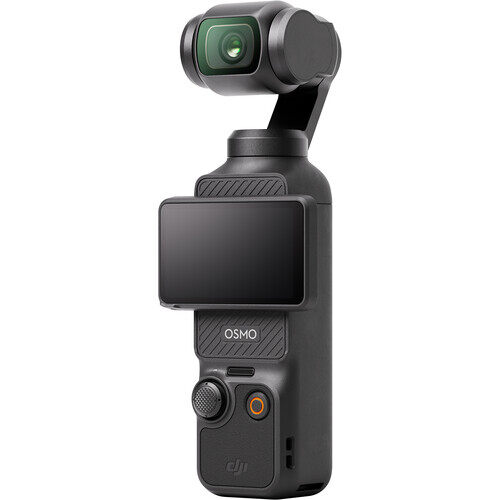
For smooth follow shots. Approx. U.S. price: $439.
Following a skater on foot or on a board gives the viewer a sense of speed. It also makes camera shake obvious. The DJI Osmo Pocket 3 uses a three-axis mechanical gimbal to smooth that movement. Its small body is easier to carry through a park than a full camera rig.
The one-inch sensor helps when a line moves between sun and shade. You can use 4K at 120 fps for slow-motion clips. ActiveTrack can help keep the rider framed, but the filmer still needs to watch the route.
Keep a little distance from the skater and protect the exposed gimbal when the camera is packed away. For U.S. shoppers, Pocket 3 is the more practical choice here than Pocket 4, which is not officially available in the U.S.
5. Insta360 X5
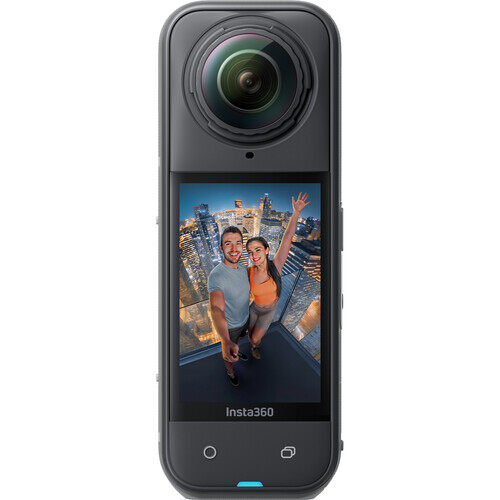
For lines that are hard to predict or repeat. Approx. price: $550.
Imagine filming a line that turns around a bank, crosses the park, and ends at a rail. A normal wide shot may lose the rider during the turn. The Insta360 X5 records everything around the camera. Afterward, you can move the frame through the recorded scene and follow the action in the edit.
Its 8K at 30 fps mode records a full 360-degree image. You can make a horizontal video and a vertical clip from the same attempt.
That flexibility has a cost in time and image detail. A finished flat video uses only part of the 360-degree frame. You will also need to reframe the shot in editing. Keep its exposed lenses clear of concrete, rails, and loose boards.
6. OBSBOT Tail 2
For solo filming from one position. Approx. price: $1,199.
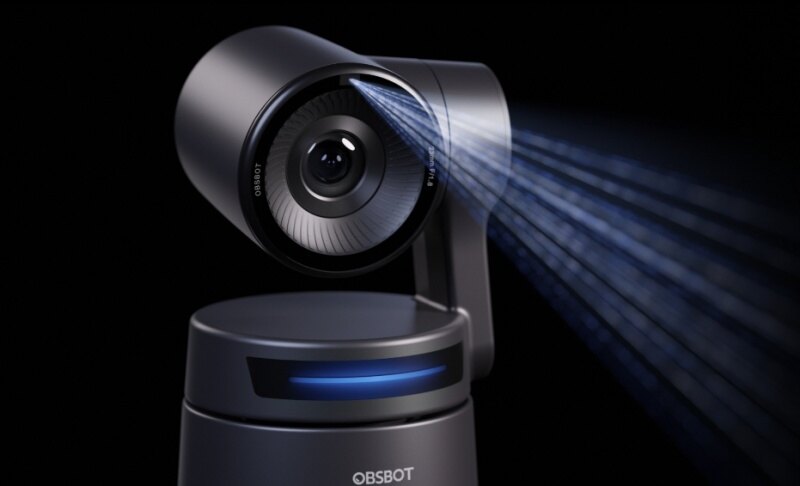
When you film alone, a fixed camera can miss the best part of a line. The OBSBOT Tail 2 offers another option. Put it on a stable tripod, select the skater, and let its motorized tracking follow movement across the spot.
This works best when you can predict the route. An indoor ramp, a practice area, or a planned sequence gives you time to test where tracking starts and ends. Record at 4K at 60 fps for the full line. Use 1080p at 120 fps when slow motion matters more. Its 5x optical zoom helps frame an obstacle from farther away.
Run a test first. People and obstacles can block the skater, and a sudden direction change may interrupt tracking. The Tail 2 stays in one position, so it serves a different purpose from a handheld follow cam.
User review:

7. Sony FX30
For a planned skate film. Approx. U.S. price: $2,100 for the body.
The FX30 makes sense when you have a filmer, repeat attempts, and time to shape the final edit. Lens choice is its main advantage here. A compatible fisheye lens can give a close shot the curved perspective associated with classic skate videos. Another lens lets you film a tighter view from farther away.
It also gives experienced editors more control over color and recording formats. The camera records 4K at up to 120 fps, though that mode crops the image. Check the lens and framing together before the skater starts a line.
The body price is only the beginning. Add the lens, cards, batteries, and a safe way to carry or hold the camera. For casual sessions, the smaller cameras above are easier to manage.
Three Camera Setups for Skate Videos
You can change the look of a trick before changing cameras. Try these three positions at a familiar spot:
- Fixed wide shot: Put the camera beside the obstacle, clear of the landing area. Frame the approach, trick, and roll-away in one test clip. This is the easiest way to make sure you capture the whole attempt.
- Moving follow shot: Follow from a distance that keeps the full board in frame. Agree on the route first. Watch the ground as well as the skater, and give both people room to stop safely.
- Low-angle close shot: Position the camera near the obstacle, outside the board's expected path. Use a wide view and check where the landing falls in the frame. A second, wider camera can cover the attempt if the close shot misses it.
How to Choose a Skate Camera
- Start with the shot. A follow cam benefits from a small body and good stabilization. A fixed shot needs enough width to cover the full trick. Tracking helps when one camera must follow a planned line.
- Check lens width at your filming distance. A close view can cut off the board or landing. Wide-angle and fisheye lenses make close filming easier, though the final look depends on camera position too.
- Choose slow motion for a reason. At 60 fps, you can slow an everyday clip modestly. At 120 fps, you have more room to show the steps of a fast trick. Check for crops and allow enough light.
- Consider low-light performance. A street spot may be much darker than it looks to your eyes. A larger sensor or wider aperture can help, but good lighting still matters most. If the footage looks noisy at 120 fps, try 30 or 60 fps and add a portable light where it is safe to do so.
- Budget for the whole setup. Include a grip or tripod, mounts, cards, batteries, and lens protection. A reliable second angle may help an edit more than a higher resolution setting.
FAQs About Skate Cameras
What camera settings should I use to film skateboarding?
Start with a wide enough view to capture the approach and landing. Use 30 or 60 fps for regular footage. Choose 120 fps when you plan to slow a trick down. Shoot a test line before changing several settings at once.
Why do skate videos use fisheye lenses?
A fisheye fits the rider, board, and obstacle into a shot filmed from close range. It also gives classic skate footage its curved, energetic perspective. The lens works best when the filmer can hold a consistent distance from the skater.
Can I film skateboarding alone?
Yes. Begin with a fixed wide shot that covers the whole trick. If the line crosses more of the spot, a tracking camera such as the OBSBOT Tail 2 may help. Test the complete route before relying on it for an important attempt.
Which camera should I buy if I mainly take skateboarding photos?
Look more closely at a camera's autofocus, burst shooting, lens choices, and still-image performance. This list focuses on video. The Sony FX30, for example, is included for planned filmmaking rather than as a dedicated skate photography recommendation.
Do I need an expensive camera to make good skate videos?
Start with a clear view of the trick and a camera position you can use safely. A modest action camera can record a strong edit. Pay more when you know you need a specific capability, such as moving gimbal footage, solo tracking, or an interchangeable lens.
Conclusion
Choose your best skate camera around the shot you film most often. An action camera is a practical start for quick sessions and low angles. A pocket gimbal camera suits moving follow shots. OBSBOT Tail 2 helps when you film alone from a planned position, while a 360 camera gives you options after a hard-to-repeat trick. For a larger skate film, an interchangeable-lens camera offers more control. Whichever you choose, test the full approach and landing at your usual spot.