Top 8 Cameras for Desktop Computers for Better Video Quality

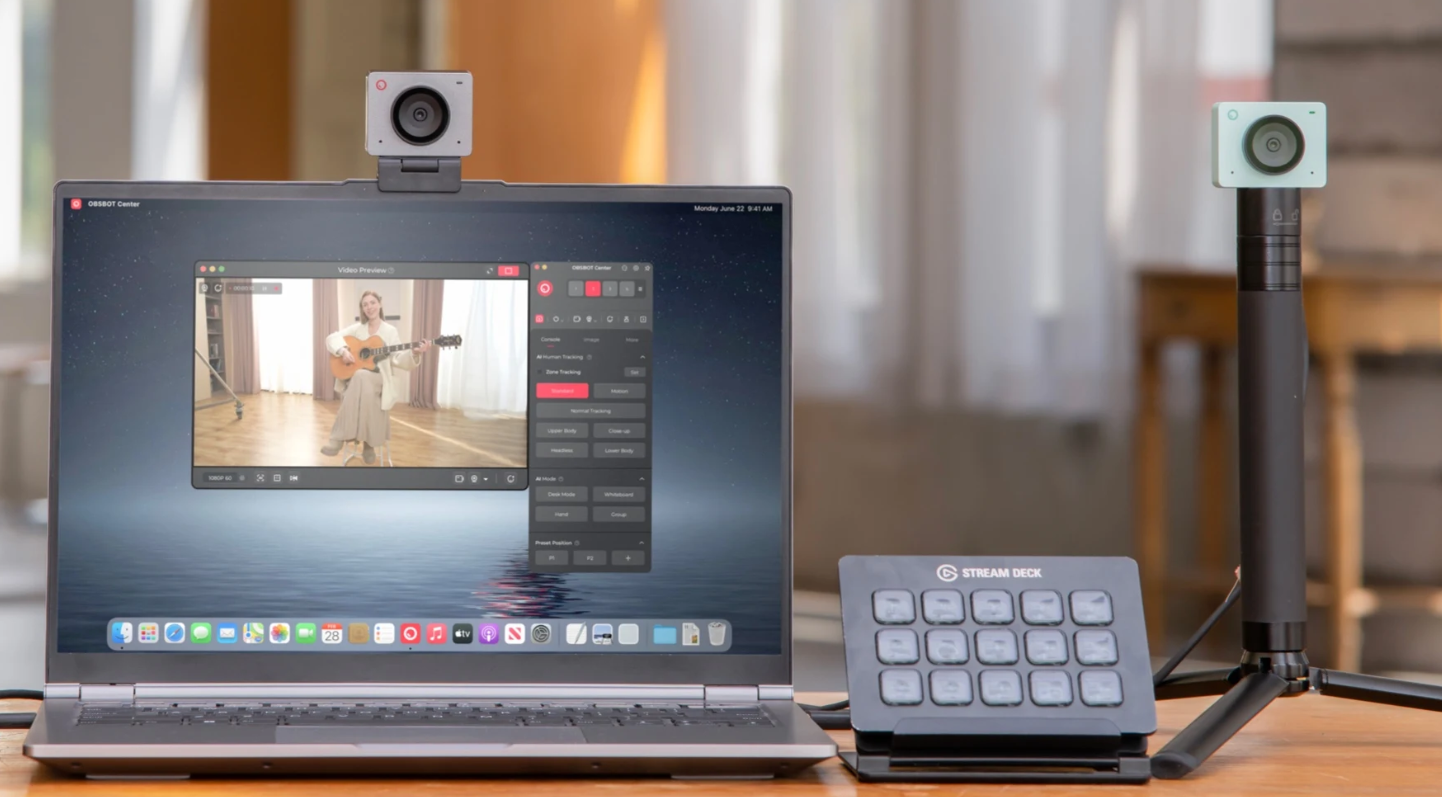
The world is going digital, and many of us use our laptops to take virtual meetings and attend online classes. However, some people are still sticking to their desktop computers, and they need an additional camera for desktop computer. A good webcam will help you look professional, clear, and confident on the screen. Additionally, the right webcam will frame you nicely and keep the focus on you while adjusting the lighting and brightness. With this article, we are sharing the 8 best webcams for desktop computers, along with the essential factors that you should keep in mind.
Part 1: What to Look for in a Camera for a Desktop Computer?
1. Resolution & Frame-Rate
Before you look for the best webcam for PC, think about resolution. Resolution means how many pixels the camera captures. The common ones are 1080p (Full HD) and 4K (ultra high definition). Higher resolution means a clearer image. Frame rate (fps) means how many frames per second; a higher frame rate gives smoother video. Because many video call platforms only support 1080p or less, even a good 1080p webcam is a big upgrade.
2. Field of View (FOV) & Mounting
The field of View is how wide the camera sees. It is important if you want the best PC camera. If you sit close to your screen, a narrower FOV (say ~70-90°) works; if you show more of your room or multiple people, you might want a wider one.
Mounting means how the webcam attaches: clip on top of the monitor, sits on the desk, or tripod-mount. Make sure it fits your monitor or desk setup.
3. Low-Light Performance & Lens Quality
Many webcams perform poorly in dim rooms; a good low-light webcam has good performance, so you don't end up looking dark or hazy. Lens quality and sensor size matter: better components = better picture.
4. Microphone & Audio Quality
Some webcams have built-in microphones. If you don't have a separate mic, pick a webcam with decent sound. Noise-cancelling or dual-mic features help if your room is not quiet.
5. Software & Extra Features
Some webcams include software for adjusting colour, brightness, zoom, background blur, or virtual backgrounds. Features like privacy shutter (to cover the lens), auto-focus, face-tracking, and plug-and-play ease matter.
6. Compatibility & Connection
Make sure the webcam works with your desktop computer's operating system (Windows, Mac, Linux) and has the right USB connector. Also, check cable length and whether you need USB-C or USB-A, etc.
Part 2: 8 Best Cameras for Desktop Computers
| Webcam Model | Resolution & Frame Rate | Field of View (FOV) | Autofocus | Microphone | Connection Type | Price |
| OBSBOT Meet Flip | 4K@30fps 1080p@60fps |
AI Auto Framing modes |
Yes (PDAF) | Intelligent dual-mic system with four audio modes | USB-C | $119 |
|
Razer Kiyo Pro |
1080p@60fps (uncompressed) HDR@30fps |
Variable FOV: Narrow/Medium/Wide | Yes | Built-in microphone | USB-A | $199.99 |
| Logitech StreamCam |
1080p@60fps |
78° | Yes | Dual front-facing mics | USB-C |
$169.99 |
| Logitech MX Brio | 4K@30fps 1080p@60fps |
65°/78°/90° | Yes | Dual beamforming mics w/ noise reduction | USB-C |
$199.99 |
| Insta360 Link 2 | 4K@30fps 1080p@60fps 720p@60fps |
79.5° DFOV/67° HFOV |
Yes | noise-canceling microphones |
USB-C |
$199.99 |
| Logitech Brio 500 | 1080p@30fps 720p@60fps |
90°/78°/65° | Yes | Dual noise-reducing mics |
USB-C |
$129.99 |
| Logitech C920s Pro | 1080p@30fps 720p@30fps |
78° |
Yes | Dual stereo mics |
USB-A |
$69.99 |
|
Anker PowerConf C200 |
2K (1440p)@30fps | 65°/78°/95° | Yes | Dual AI noise-canceling mics | USB-C | $59.99 |
1. Best Smart Webcam for Desktop Computers: OBSBOT Meet Flip Foldable 4K Webcam
OBSBOT Meet Flip is a practical webcam for desktop users who want a cleaner camera setup for meetings, classes, streaming, and daily video calls. Meet Flip gives you an easy way to add a reliable camera to your monitor, desk, or tripod setup without making the workspace feel complicated.
Key Features:
- 4K Desktop Video Quality: Captures crisp 4K@30fps video for clearer meetings, online classes, presentations, and content creation on desktop computers.
- 1080p@60fps Smoothness: Switch to 1080p@60fps when you want smoother motion for livestreams, tutorials, or more dynamic video calls.
- AI Auto Framing: Keeps you centered in solo calls, group conversations, and presentation-style setups without constant manual camera adjustment.
- Clear Dual-Mic Audio Modes: The intelligent dual-mic system offers four audio modes with AI Noise Reduction and Auto Gain for clearer voice capture in different desktop workspaces.
- Foldable Hardware-Level Privacy: Flip the webcam open when you need video, then fold it down to physically cover the lens and enter sleep mode after the call.
- Flexible Mounting: The built-in stand and 1/4-inch thread support monitor, desk, and tripod setups for different desktop computer layouts.
Best For:
Desktop users, remote workers, students, teachers, and creators who want a compact 4K webcam with simple setup, smart framing, privacy control, and reliable day-to-day video performance.
2. Best 1080p Camera for Everyday Meetings: Razer Kiyo Pro

The Razer Kiyo Pro is a high-quality 1080p webcam designed for users who want smooth, professional video in any lighting environment. Its large Sony STARVIS CMOS sensor captures more light for clearer video, while uncompressed 1080p at 60fps ensures ultra-smooth motion. HDR at 30fps adds rich color and better exposure, making this webcam great for daily meetings, remote work, and streaming. It's also an excellent choice for video calls on Google Meet or other online conferencing platforms
Key Features:
- Adjustable wide-angle lens with multiple field-of-view options
- Full camera customization through Razer Synapse
- USB 3.0 ensures faster, high-bandwidth video transfer
- Comes with a privacy cover to protect your lens and privacy
- Flexible mounting options, including monitor, desk, and tripod setups
Best For:
The Razer Kiyo Pro is ideal for professionals, students, and remote workers who need exceptional 1080p clarity with smooth 60fps video.
3. Best Camera for Streamers & Creators: Logitech StreamCam

The Logitech StreamCam delivers Full HD 1080p video at 60fps, making it a smooth, high-quality option for anyone who wants to look sharp while staying in control of their onscreen presence. Its premium glass lens, smart autofocus, and intelligent exposure ensure you always appear clear and well-lit. With advanced software features for framing and content management, it offers a strong balance of quality and user control.
Key Features:
- Auto-framing keeps you centered without needing constant adjustments
- Premium glass lens produces crisp detail and accurate color
- Smart autofocus quickly adapts even when you move or show objects
- Software provides enhanced recording and customization tools
- Records fast, smooth motion at 1080p/60fps for natural, lifelike video
Best For:
The StreamCam is ideal for users who want high-quality, smooth video with strong software control for how they appear on screen. It works well for educators, online presenters, and casual streamers.
4. Best Overall Camera for Desktop Computers: Logitech MX Brio

The Logitech MX Brio UHD 4K Webcam stands out as a top-tier choice for anyone who wants sharp, professional video on their desktop. With a larger sensor, this webcam for desktop has a custom lens and advanced AI image optimization. It delivers excellent clarity even in difficult lighting conditions. It supports up to 4K at 30fps or 1080p at 60fps, making it ideal for meetings, presentations, and high-quality streaming.
Key Features:
- Fully adjustable controls for lighting, ISO, and shutter speed
- Show Mode allows easy overhead desk-sharing with auto-flip
- Strong noise reduction for cleaner, more detailed video
- Seamless integration with Logi Options+ and G HUB for advanced customization
- Compatibility with Zoom, Teams, Google Meet, and Streamlabs
Best For:
The MX Brio is perfect for professionals, remote workers, streamers, and creators who need high-end video quality without compromising on customization.
5. Best 4K Camera for Professional Video: Insta360 Link 2

The Insta360 Link 2 is a powerful 4K webcam built for creators, educators, and professionals who want studio-level video quality from their desktop. Its large 1/2" sensor delivers excellent clarity, natural color, and strong low-light performance. With AI features like auto-tracking, gesture control, DeskView, and true-to-life HDR, it goes far beyond a standard webcam, offering remarkable versatility for presentations, streaming, and content creation.
Key Features:
- AI-powered noise cancellation with advanced audio modes
- DSLR-style natural bokeh for a professional background look
- Phase Detection Auto Focus (PDAF) for faster and sharper real-time focusing
- Multiple smart modes, including Smart Whiteboard and Portrait Mode
- Dedicated apps for precise gimbal, framing, and image adjustments
Best For:
The Insta360 Link 2 is ideal for professionals, teachers, remote presenters, and content creators who want high-quality 4K visuals with maximum flexibility.
6. Best Camera for Low-Light Environments: Logitech Brio 500

The Logitech Brio 500 is designed to help you look your best in any lighting setup, especially dim or uneven environments. With advanced auto light correction and enhanced image processing, it adjusts in real time to keep your video bright, clear, and natural. Its modern design and built-in sustainability features make it a reliable everyday webcam for work, classes, and virtual hangouts.
Key Features:
- Auto light correction intelligently brightens your image
- Advanced image quality keeps colors natural
- Easy plug-and-play setup for instant use
- Smooth, flattering framing is ideal for professional video calls
- Responsibly made using recycled plastic
Best For:
The Brio 500 is ideal for users who often work or study in rooms with inconsistent lighting. It's perfect for home offices, dorm rooms, and shared spaces.
7. Best Budget Camera for Desktop Computers: Logitech C920s Pro

The Logitech C920s Pro is a dependable, affordable option for users who want clear, sharp video without overspending. It delivers Full HD 1080p at 30fps with a five-element glass lens, smooth autofocus, and a fixed 78° field of view that frames you naturally. Dual stereo mics help capture your voice clearly, and the included privacy shutter gives you peace of mind when you choose this webcam for desktop PC.
Key Features:
- HD auto light correction improves visibility in dim or uneven lighting
- A dual-mic stereo setup provides richer, more natural audio
- Privacy shutter offers instant camera-blocking for added security
- Works with Logitech webcam software for customizable video settings
- Reliable, simple plug-and-play usability for everyday computer setups
Best For:
The C920s Pro is ideal for students, remote workers, and home users wanting a quality upgrade over built-in laptop webcams. It's especially suited for everyday video calls and online classes.
8. Best Privacy-Focused Camera: Anker PowerConf C200

The Anker PowerConf C200 is a practical and budget-friendly webcam built to deliver sharp 2K clarity and strong privacy protection. This camera for a PC monitor has a built-in sliding shutter. This makes it easy to cover the lens instantly, while the larger aperture helps brighten your image even in low-light spaces. With multiple field-of-view presets and dual-mic AI noise cancellation, it offers a flexible and secure solution for everyday meetings.
Key Features:
- Adjustable field of view (65°, 78°, 95°) for tight or wide framing
- Dual microphones with AI noise cancellation for clearer conversations
- Light-absorbing glass lenses enhance brightness and image clarity
- Directional or omnidirectional pickup options reduce background noise
- Clean, simple software for tuning video settings without complexity
Best For:
The PowerConf C200 is perfect for privacy-focused users who want a reliable, secure webcam for remote work or personal calls.
Part 3: FAQs About Camera for Desktop Computers
1. What is the best camera for a desktop computer?
There is no one "best for everyone" because it depends on what you need: streaming or just casual calls, budget, lighting, and room conditions. But a well-balanced choice with high resolution, good lens quality, clear audio, flexible mounting, and privacy protection is usually best for most uses. A foldable 4K webcam like the OBSBOT Meet Flip offers a practical mix of sharp video, AI framing, and simple desktop setup.
2. Can I add a camera to my desktop computer?
Yes, absolutely. You can connect a USB webcam to your desktop computer easily. In some setups, users may also want to connect a webcam to a TV or external display—here’s a guide on how to convert a USB webcam to HDMI.
3. What's the difference between a webcam and a camera?
A "camera for a desktop computer" in this context usually means a webcam: designed specifically to connect to computers, usually via USB, for live video, calls, and streaming. A "camera" more generally might be a digital still camera or video camera designed for photography or filmmaking.
4. What is the best webcam for home use?
For home use, meaning video chats with friends/family, classes, and remote work, a webcam with 1080p resolution, a decent mic, good light handling, and easy mounting is ideal.
5. Can someone watch you through your webcam?
Yes, in theory, if the webcam is turned on and your computer is compromised (malware) or the webcam's indicator isn't working. That's why privacy features (physical shutter, indicator light, reliable drivers) are important.
Conclusion
Choosing the right camera for a desktop computer doesn't have to be confusing. First, know what you need: Will you use it for simple calls? Heavy streaming? Low-light rooms? Then check the key factors: resolution, light performance, mic, privacy, and compatibility. We explored the top options, from budget webcams to smart 4K models like the OBSBOT Meet Flip, which gives desktop users a simple way to add sharper video, AI framing, clear audio, and foldable privacy protection. If you’re using a Dell desktop, you can also refer to our guide on the 6 best webcams for Dell computers for models that are fully compatible and easy to set up.