Top 6 Mini PTZ Conference Webcams/Cameras of 2026

The role of professional pan-tilt (PTZ) cameras has become crucial in modern meetings. However, specifically for huddle rooms and home offices, selecting the ideal mini PTZ 4k conference webcam demands thoughtful decision-making. A mini PTZ camera combines the mechanical pan, tilt, and zoom capabilities of professional gear with a compact, USB-plug-and-play form factor tailored for smaller spaces.
To help you decide, we've compiled a comprehensive guide, a PTZ-specific comparison table, and a list of the top 6 mini PTZ webcams.
Part 1: Pros and Cons of PTZ Cameras
PTZ (Pan-Tilt-Zoom) video conference cameras are known for their robotic movement and adjustability. Unlike fixed-lens webcams, they physically move to capture different angles. Here is a quick breakdown of their pros and cons.
Features and Pros of PTZ Cameras:
- Large Field of View: PTZ cameras offer expansive coverage, effectively monitoring vast areas or wide conference tables without distortion at the edges.
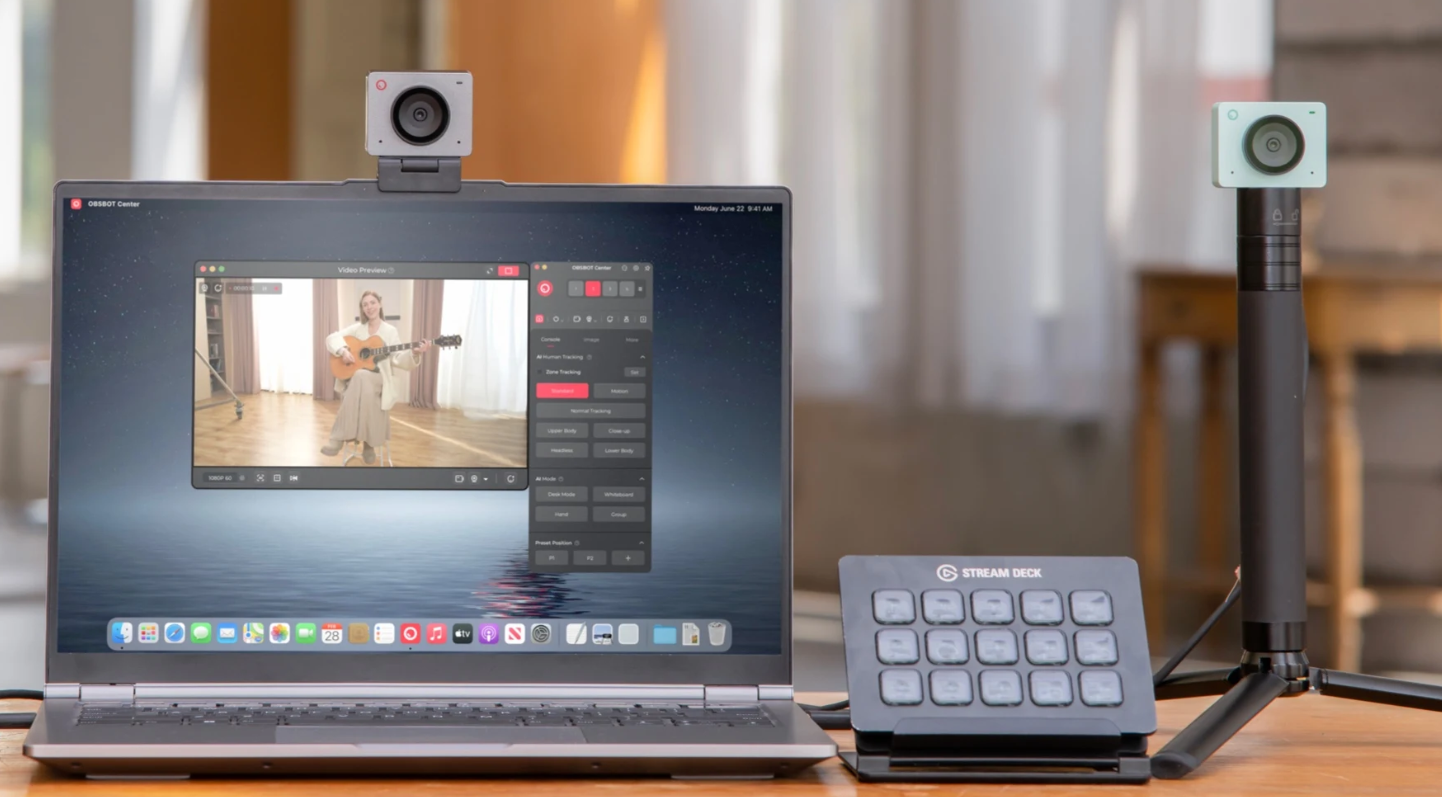
- Motion-Based Auto Tracking: Advanced AI tracking allows cameras (like the OBSBOT Tiny 3) to autonomously follow the speaker, keeping them centered as they move.
- Remote Camera Control: Users can adjust the camera angle remotely via a remote control or software, modifying the view without physical presence.
- Lossless Zoom Capabilities: Optical zoom allows for the clear capture of distant subjects, such as whiteboard text, without the pixelation seen in digital zoom.
Cons of PTZ Cameras:
- Mechanical Wear: The moving parts for panning and tilting can make them more susceptible to wear over simpler fixed cameras.
- Higher Cost: Due to the motors and complex optics, PTZ cameras generally cost more than standard webcams.
- Latency Sensitivity: In poor network conditions, there can be a slight delay when controlling the camera movements remotely.
Where Mini PTZ Cameras Are Commonly Used:
Mini PTZ conference webcams are designed for small-to-medium settings, including:
- Huddle rooms
- Home offices
- Online teaching
- Individual live streaming
Their compact size makes them portable and easy to mount on laptops or monitors.
Part 2: 6 Best Mini PTZ Conference Cameras You Can Buy
Below is a quick comparison focusing on the Pan, Tilt, and Zoom capabilities of the best models to help you choose the right one.
| Camera Model | Resolution | Zoom Capability | Pan & Tilt Range | PTZ Control Type | Price |
|---|---|---|---|---|---|
| OBSBOT Tiny 3 | 4K@30fps / 1080p@120fps | 4x Digital Zoom | Pan: ±150° Tilt: ±90° |
AI Tracking 2.0 (Human & Voice), Gesture Control, Voice Control | $349 |
| Logitech PTZ Pro 2 | 1080p | 10x HD Lossless Zoom | Pan: 260° Tilt: 130° |
Remote Control + 3 Presets | $599 |
| Tongveo Conference | 1080p | 3x Optical Zoom | Pan: 0-350° Tilt: 0-90° |
IR Remote, RS232 | $405 |
| Fomako FMK20SDI | 1080p | 20x Optical Zoom | Pan: 350° Tilt: 120° |
Remote, Joystick Support | $299 |
| Yealink UVC84 | 4K | 12x Optical Zoom | Pan: 200° Tilt: 130° |
Remote, Auto-Framing | $1,249 |
| AVer VC550 | 4K (Dual Lens) | 12x Optical (24x Total) | Pan: ±170° Tilt: +90°/-30° |
Audio Tracking, Smart Gallery | $1600 |
1. OBSBOT Tiny 3 AI-Powered 4k PTZ Webcam
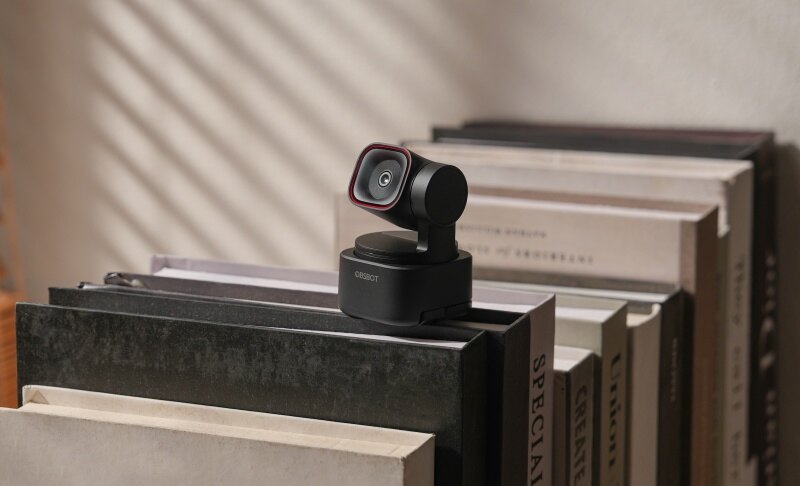
For huddle rooms and personal workspaces where seamless video communication is essential, the OBSBOT Tiny 3 PTZ camera stands out as the most intelligent compact choice on the market.
Key Features:
- Tiny in Size, Titan in Power: As the smallest 4k PTZ webcam, the Tiny 3 delivers massive performance in an ultra-compact form factor.
- Advanced AI Tracking 2.0: Featuring both Human Tracking and Voice Tracking, it ensures you stay perfectly framed and centered automatically, no matter how you move.
- Immersive Stereo Mic System: Equipped with a Voice Locater, it provides crystal-clear audio that follows the speaker for a professional sound experience.
- Pro-Grade 1/1.28" CMOS Sensor: Captures stunning 4K 30fps and 1080p 120fps video with Dual Native ISO (100~12800) for exceptional low-light capability.
- Superior Focus & Interaction: Utilizes Dual All-Pixel PDAF for instant focusing and supports Multiple AI Modes like Whiteboard Mode, Desk Mode, and Hand Tracking.
- Extensive Compatibility: Effortlessly integrates with Stream Deck, Switch 2, and all major streaming platforms.
2. Logitech PTZ Pro 2
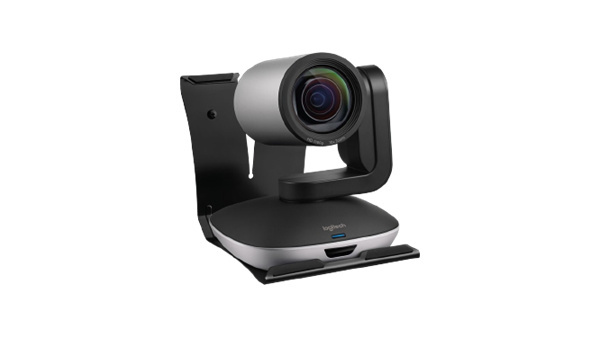
The Logitech PTZ Pro 2 brings premium optics to medium-sized rooms, bridging the gap between a webcam and a full-scale auditorium camera.
Key Features:
- 10x Lossless Zoom: The high-quality glass lens offers 10x HD zoom with autofocus, perfect for reading whiteboards from the back of the room.
- Smooth Motorized Movement: Known for its whisper-quiet mechanical pan and tilt, ensuring no distraction during meetings.
- Camera Presets: You can save up to three specific PTZ configurations (e.g., wide shot, focus on CEO, focus on whiteboard) and switch instantly.
- Wide Field of View: A 90° diagonal field of view is ideal for capturing wide conference tables.
3. Tongveo Conference Camera
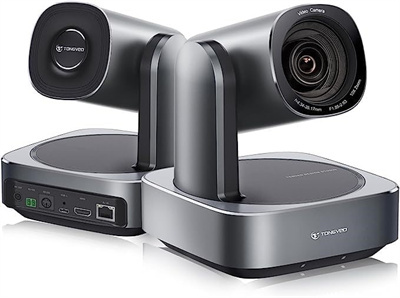
The TONGVEO HDMI conference camera is a versatile powerhouse designed for live streaming and worship services where long-range zoom is needed.
Key Features:
- 10X Optical Zoom: Delivers crystal-clear 1080P images even when zoomed in fully, unlike digital zoom which may lose quality.
- Wide Pan Range: Covers a nearly 350° horizontal rotation, leaving almost no blind spots in the room.
- Multiple Control Options: Can be controlled via IR remote, RS232 joystick, or software (UVC 1.1).
- Simultaneous Outputs: Offers video output via USB, HDMI, and IP streaming simultaneously.
4. Fomako PTZ Camera (FMK20SDI)
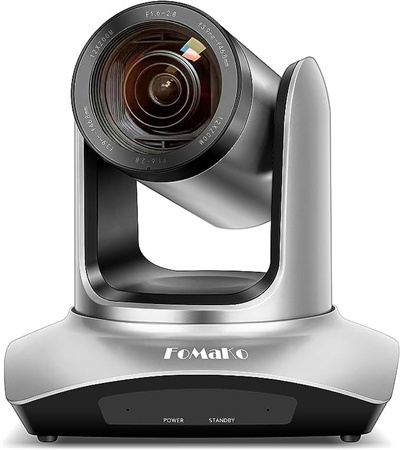
The FoMaKo FMK20SDI is designed for larger venues like churches or lecture halls that require significant magnification.
Key Features:
- 20x Optical Zoom: The most powerful zoom on this list, capable of capturing clear facial expressions from the back of a large hall.
- Accurate Auto Focus: Maintains sharp focus even during fast pan and tilt movements.
- Professional Interface: Supports SDI connectivity along with HDMI and LAN, suitable for professional broadcast setups.
- Auto-Flip: Can be mounted on the ceiling; the built-in gravity sensor automatically flips the image.
5. Yealink UVC84
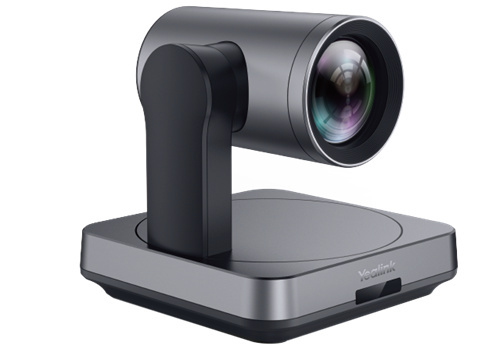
Yealink UVC84 is a high-end 4K PTZ camera tailored for medium and large conference rooms, balancing manual control with automation.
Key Features:
- 12x Optical Zoom + 4K: Combines high-resolution 4K output with powerful optical magnification for pristine detail.
- Auto Framing: A smart PTZ feature that automatically adjusts the frame to fit all participants, liberating you from manual control.
- Flexible Installation: Designed to be mounted on a conference table, TV mount, wall, or ceiling with ease.
- Audio Integration: Seamlessly integrates with Yealink microphones for a complete room solution.
6. Aver VC550
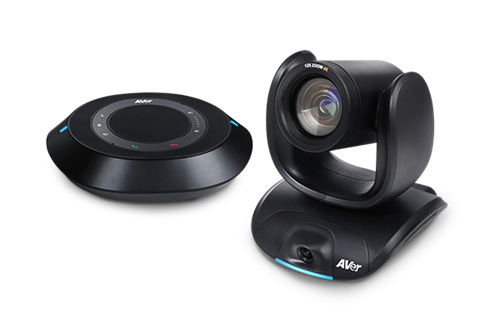
The AVer VC550 uses a unique dual-lens system to enhance standard PTZ functionality with AI intelligence.
Key Features:
- Dual Lens PTZ: Combines a 12X optical zoom PTZ lens with a secondary AI wide-angle lens to analyze the whole room.
- Smart Gallery: Automatically crops and displays participants in individual boxes, ensuring everyone looks equally important.
- 24X Total Zoom: Combines optical and sensor zoom for extreme close-ups without losing clarity.
- Daisy-Chain Audio: Supports scalable speakerphones for large rooms.
Part 3: FAQs About Mini PTZ Conference Camera
1. Can Zoom (the app) control a PTZ camera?
Yes. Most certified USB PTZ cameras support UVC (USB Video Class) control. This allows the Zoom application (and Zoom Rooms) to directly control the camera's Pan, Tilt, and Zoom functions via the software interface, eliminating the need for a physical remote.
2. Can Microsoft Teams control a PTZ camera?
Yes. Similar to Zoom, Microsoft Teams supports "Far End Camera Control" (FECC). If you have a compatible camera, you can adjust the camera view directly within the meeting interface.
3. Do I need a physical controller for a PTZ camera?
Not necessarily, but it is often faster. While software control works, an IR remote or a Joystick Controller offers smoother, latency-free adjustments. However, advanced AI cameras like the OBSBOT Tiny 3 utilize Voice Control and Hand Gestures, effectively removing the need for any physical controller.
4. Can a PTZ camera automatically follow me?
Standard PTZ cameras do not track motion; they only move when you tell them to (via remote or preset). However, AI-powered PTZ cameras (like the OBSBOT Tiny 3) utilize auto-tracking algorithms to physically pan and tilt to follow the subject as they walk around the room.
Conclusion
Selecting the right mini PTZ conference camera depends on your need for movement and control. For huddle rooms and personal use, where you want the camera to "be your cameraman," the OBSBOT Tiny 3 with its AI Tracking 2.0 and gesture control is unmatched. For larger, static conference rooms requiring long-distance clarity, optical zoom powerhouses like the Logitech PTZ Pro 2 or Yealink UVC84 are superior choices. For those who want a more comprehensive look at available PTZ webcams, including AI-tracking and compact designs, see our best PTZ webcams guide